
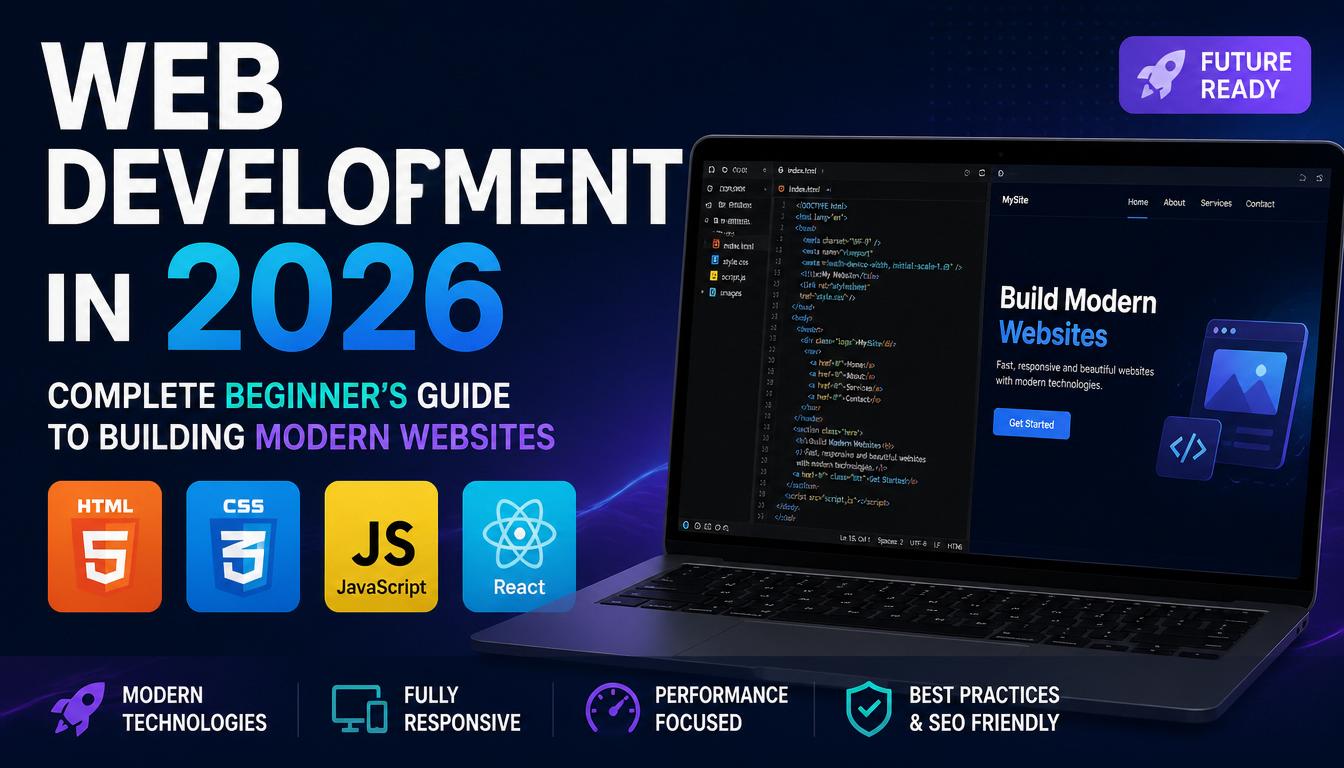
The internet keeps changing every year, and web development in 2026 looks very different compared to just a few years ago. Websites are now faster, smarter, more interactive, and even powered by artificial intelligence. If you are a beginner, all these new technologies may sound a little scary. Don’t worry. Every professional developer once looked at a line of code and thought, “What is this strange language?”
The good news is that learning web development has become easier than ever. There are countless tools, free resources, and AI assistants that can help beginners create amazing websites without needing a computer science degree.
This guide will walk you through everything you need to know about modern web development in 2026.
What is Web Development?
Web development is the process of creating websites and web applications that run on the internet. Every website you visit, from online stores to social media platforms, is built using web development technologies.
Think of a website like a house:
- HTML is the structure of the house.
- CSS is the paint, decoration, and furniture.
- JavaScript is the electricity and smart devices that make everything work.
Without these three technologies, websites would look like plain text documents from the 1990s. And honestly, nobody wants their website to look older than their grandparents’ television.
Why Learn Web Development in 2026?
Web development continues to be one of the most valuable digital skills.
Major Benefits
1. High Demand
Almost every business needs a website. Restaurants, schools, hospitals, small shops, and even pet grooming services all need an online presence.
2. Remote Work Opportunities
Many web developers work from home. Your office could be your bedroom, coffee shop, or anywhere with internet access.
3. Good Income Potential
Experienced developers often earn attractive salaries and can work as freelancers.
4. Build Your Own Projects
You can create blogs, online stores, business websites, or even your own social network.
Essential Technologies Every Beginner Should Learn
1. HTML
HTML stands for HyperText Markup Language.
It creates the structure of a webpage.
Example elements include:
- Headings
- Paragraphs
- Images
- Buttons
- Forms
- Links
HTML is usually the first step in web development because it is simple and easy to understand.
2. CSS
CSS stands for Cascading Style Sheets.
It controls:
- Colors
- Fonts
- Layouts
- Animations
- Responsive design
Without CSS, websites would look very boring.
Imagine opening your favorite website and seeing nothing but black text on a white screen. That would be about as exciting as watching paint dry.
3. JavaScript
JavaScript makes websites interactive.
Examples include:
- Image sliders
- Dark mode buttons
- Online calculators
- Interactive forms
- Real-time notifications
JavaScript has become one of the most important programming languages in the world.
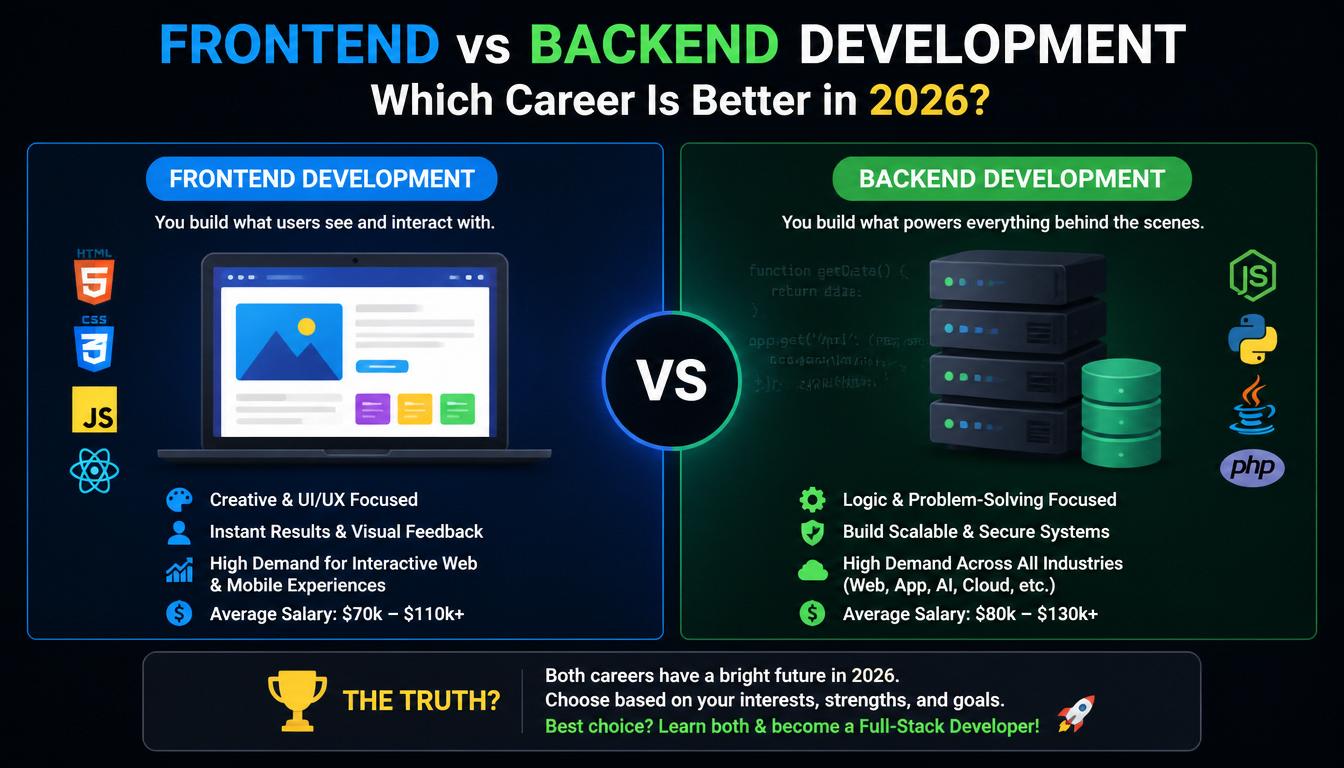
Frontend vs Backend Development
Many beginners get confused by these two terms.
| Feature | Frontend | Backend |
|---|---|---|
| What Users See | Yes | No |
| Handles Design | Yes | No |
| Works with Databases | No | Yes |
| Main Languages | HTML, CSS, JavaScript | Python, PHP, Node.js |
| User Interaction | Yes | Indirectly |
Think of a restaurant.
The frontend is the dining area where customers sit.
The backend is the kitchen where all the magic happens.
And sometimes the kitchen is on fire because of one missing semicolon.
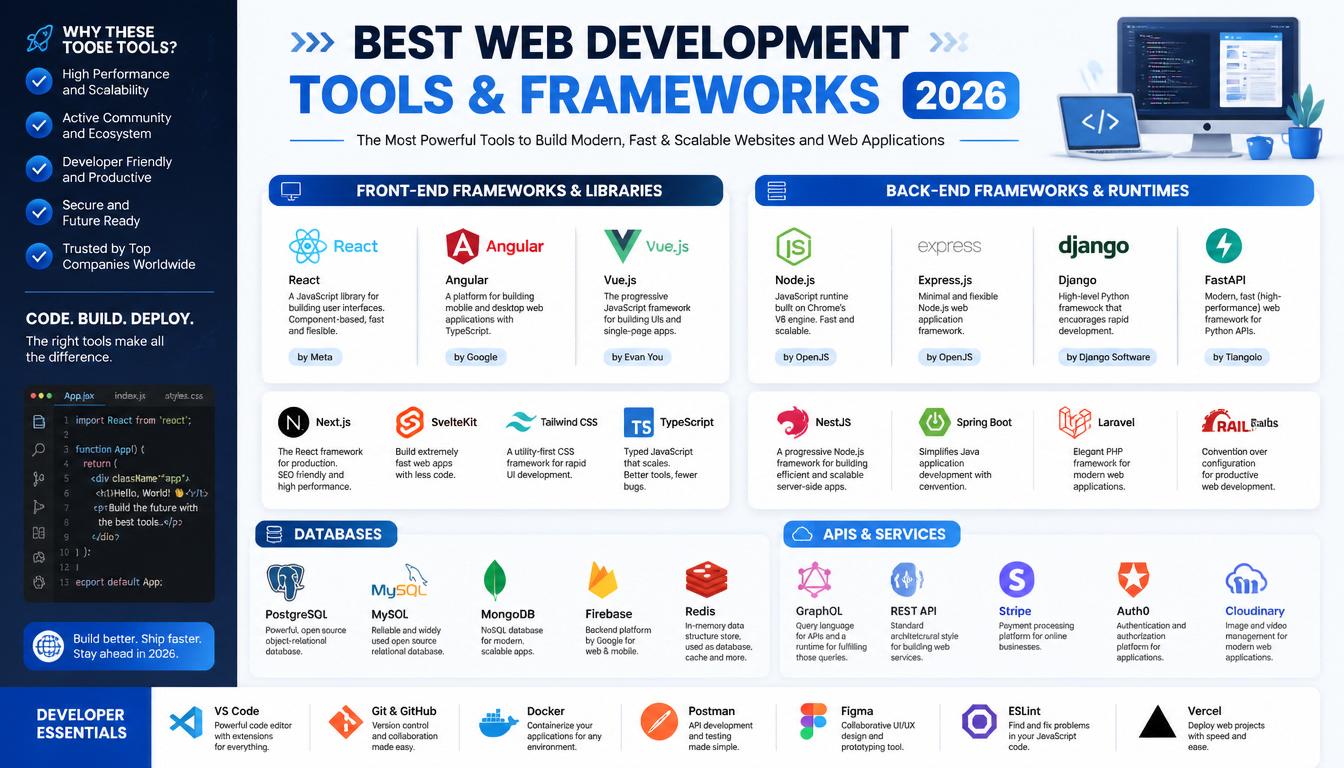
Popular Frontend Technologies in 2026
React
React remains one of the most popular frontend libraries.
Benefits:
- Fast performance
- Large community
- Reusable components
- Excellent for modern applications
Next.js
Next.js has become extremely popular because it improves website speed and SEO.
Many businesses prefer Next.js because search engines love fast websites.
Tailwind CSS
Tailwind allows developers to create beautiful designs quickly.
Instead of writing large amounts of CSS, developers can use utility classes.
This saves time and reduces headaches.
Popular Backend Technologies in 2026
Node.js
Node.js allows developers to use JavaScript on the server.
Advantages:
- Fast performance
- Huge ecosystem
- Excellent for APIs
Python
Python remains a favorite because it is beginner-friendly.
Popular frameworks include:
- Django
- Flask
- FastAPI
Python is especially useful when integrating AI features into websites.
The Rise of AI in Web Development
Artificial Intelligence is changing how websites are built.
In 2026, developers use AI tools for:
- Writing code
- Debugging errors
- Creating designs
- Generating content
- Improving SEO
- Building chatbots
However, AI is not replacing developers completely.
AI can help build a website, but it still cannot fully understand every business need.
Besides, AI sometimes creates strange code that looks like it was written at 3 AM after drinking ten cups of coffee.
Responsive Design is More Important Than Ever
People use many devices:
- Smartphones
- Tablets
- Laptops
- Smart TVs
- Foldable devices
A modern website must work properly on all screen sizes.
Responsive design ensures:
- Better user experience
- Higher search rankings
- More visitors staying on your website
Google also favors mobile-friendly websites.
Website Speed Matters
Nobody likes slow websites.
Research continues to show that users quickly leave websites that take too long to load.
Ways to Improve Speed
- Compress images
- Use caching
- Minify CSS and JavaScript
- Choose good hosting
- Use Content Delivery Networks (CDNs)
Think about it this way:
If your website takes 15 seconds to load, users may already be making coffee before seeing your homepage.
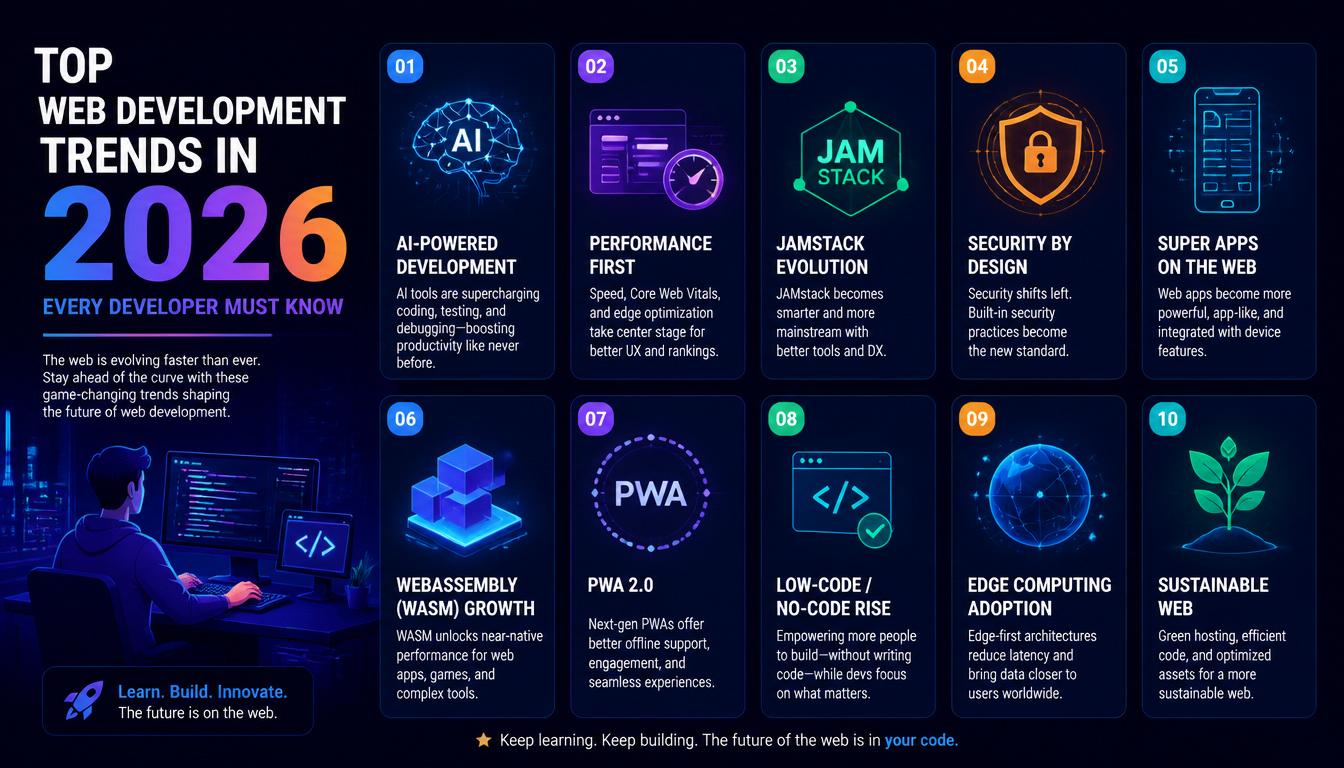
Important Web Development Trends in 2026
1. AI-Powered Websites
AI chatbots and personalized recommendations are becoming common.
2. Voice Search Optimization
More users search using voice assistants.
Websites need content optimized for natural language.
3. Progressive Web Apps (PWAs)
PWAs combine websites and mobile apps.
Benefits include:
- Offline functionality
- Faster loading
- Better user experience
4. Cybersecurity
Security is becoming a major priority.
Developers must protect websites from:
- Data breaches
- Malware
- Phishing attacks
5. Serverless Architecture
Serverless solutions reduce maintenance and improve scalability.
Many companies are moving toward cloud-based systems.
Roadmap for Beginners in 2026
Here is a simple learning path.
| Step | Skill |
|---|---|
| Step 1 | Learn HTML |
| Step 2 | Learn CSS |
| Step 3 | Learn JavaScript |
| Step 4 | Build Simple Projects |
| Step 5 | Learn React |
| Step 6 | Learn Backend Basics |
| Step 7 | Learn Databases |
| Step 8 | Create Full-Stack Projects |
| Step 9 | Build Portfolio |
| Step 10 | Apply for Jobs or Freelance |
Projects Beginners Should Build
Practical projects help you improve faster.
Project Ideas
Beginner Level
- Personal portfolio website
- Calculator
- To-do list
- Weather app
Intermediate Level
- Blog platform
- Online store
- Chat application
- Booking website
Building projects is where real learning happens.
Reading tutorials is useful.
Actually building something is where your brain starts saying:
“Okay, now I understand why everyone was talking about bugs.”
Best Free Learning Resources
Many excellent resources are available online.
Documentation Websites
- MDN Web Docs
- React Documentation
- Next.js Documentation
Video Platforms
- YouTube tutorials
- Coding bootcamp videos
Practice Platforms
- Frontend Mentor
- CodePen
- GitHub
Consistency matters more than learning speed.
Studying for one hour every day is better than studying for ten hours once every two months.
Career Opportunities in Web Development
Web development offers many career paths.
| Career | Description |
|---|---|
| Frontend Developer | Builds website interfaces |
| Backend Developer | Handles servers and databases |
| Full-Stack Developer | Works on both frontend and backend |
| UI Developer | Focuses on visual design |
| Freelance Developer | Builds websites for clients |
| WordPress Developer | Creates CMS-based websites |
The demand for skilled developers continues to grow worldwide.
Common Mistakes Beginners Make
1. Trying to Learn Everything at Once
There are too many technologies.
Focus on one thing at a time.
2. Watching Tutorials Without Building Projects
Tutorial videos are helpful, but practice is essential.
3. Giving Up Too Early
Every developer gets stuck.
Errors are normal.
Sometimes one missing bracket can break your entire project.
You may spend two hours fixing it and then realize you accidentally deleted one tiny symbol.
Congratulations—you are officially becoming a developer.
Future of Web Development Beyond 2026
Web development will continue evolving.
Some technologies expected to grow include:
- AI-powered coding assistants
- Advanced web applications
- Web-based virtual reality
- Better browser performance
- Stronger cybersecurity systems
The web is becoming more intelligent and user-friendly every year.
Despite all the changes, the fundamentals remain the same:
Learn HTML, CSS, JavaScript, practice regularly, and keep building projects.
Final Thoughts
Web development in 2026 is one of the best skills beginners can learn. It offers creativity, career opportunities, remote work possibilities, and the ability to build almost anything on the internet.
The journey may seem difficult at first, but every expert developer once started by creating their first simple webpage.





Leave a Reply